Exercise library
Every move, shown first. No guessing.
Every move opens with a real clip. Four seconds of watching, and you’ll know what it should look like before you try it.
- 44 moves, each with a video demo
- Grouped into seven training categories
- An easier and a harder version of each
Exercise library
What you get on every move.
The same six things, whether it’s a push-up or a hip flexor stretch.
A real demo
A short clip, filmed from the angle that shows you the joint doing the work.
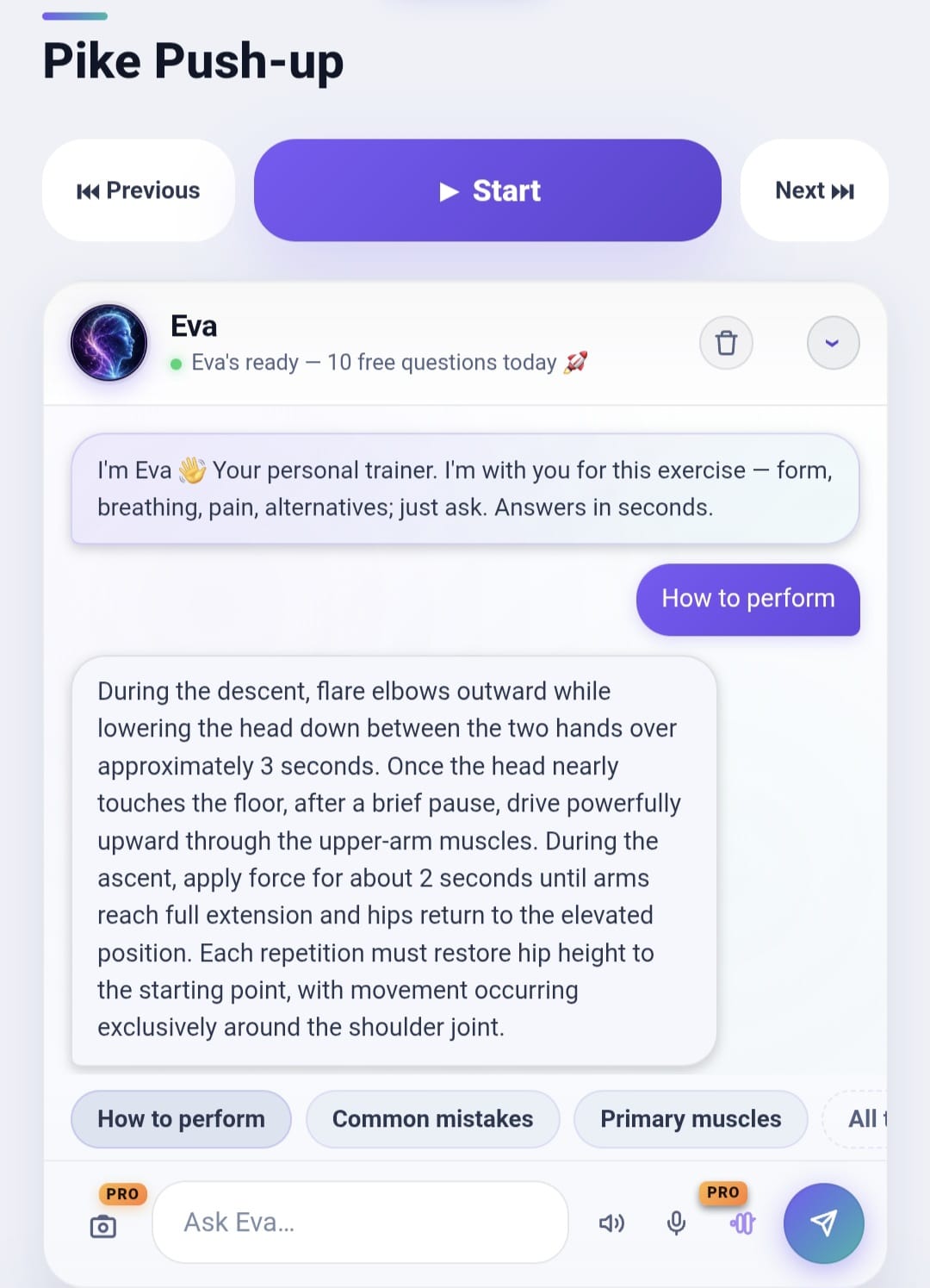
How to perform it
The cues that matter, in order. What to brace, where to look, what moves and what stays put.
Common mistakes
The way this move usually goes wrong, so you’ve got something to check yourself against.
An easier version
A step down that keeps the same pattern. Incline for decline, knees for full.
A harder version
A step up for when the one you’re on stops being hard.
Which muscles work
The muscle group it trains, so you can see the shape of a session at a glance.
Grouped the way you’d look for them.
By training focus. Head for the part of you that needs work today, and the moves are already there.
- Upper body
- Lower body
- Core
- Cardio
- Mobility and flexibility
- Mind and body
- Advanced moves
Learn a move once, and it’s yours for every session after.
Every move, with a guide of its own
Form, mistakes, the easier and harder version, and how many sets to do — one page each, grouped the way the app groups them.
Lower body
Mobility and flexibility
Questions people ask
Are the demos real footage or animations?
Real footage. We filmed all 44 moves ourselves, so what you watch is what the move actually looks like.
What if a move is too hard for me?
Every move has an easier version with the same movement pattern. You build towards the full one at your own pace.
Can I look up a single move without starting a workout?
Yes. Browse the library whenever you like, grouped by training focus.
Do I need to know the names?
No. Browse by category, or just ask Eva and she’ll bring the move up.