Planning and progress
See what’s next. And how far you’ve come.
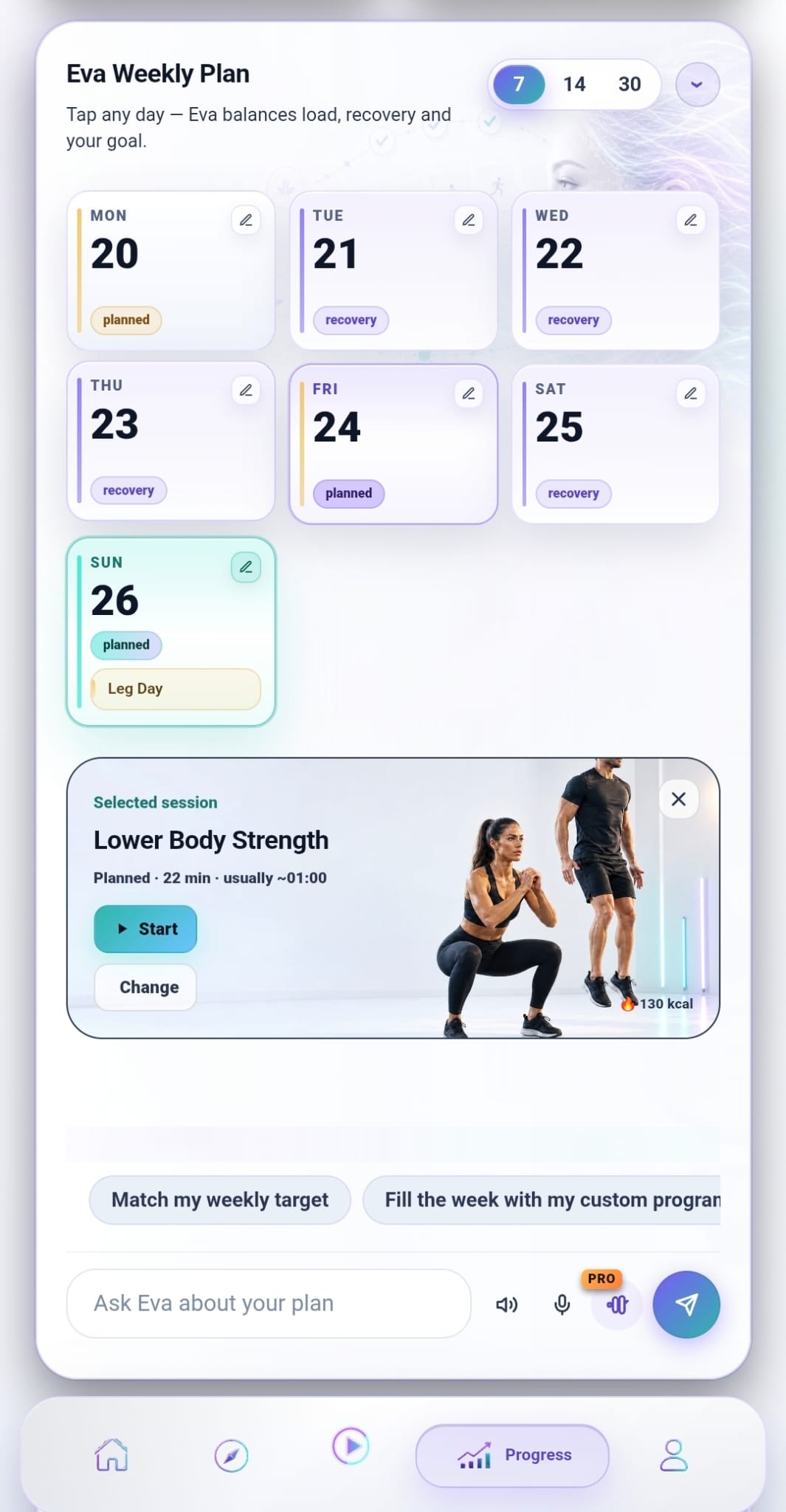
Your plan, your weigh-ins, your photos and your meals all live on one screen. Look ahead at the week, or back at the month you just had.
- Look 7, 14 or 30 days ahead
- Weight, photos, notes and bests
- Meals by photo or barcode
Planning and progress
What we keep track of.
Enough to show you a trend, and quick enough that you’ll keep doing it.
Weekly plan
Look 7, 14 or 30 days ahead, and move any session to a day that suits you better.
Calendar
What you did and when, so a good month is something you can point at.
Weight and photos
Weigh-ins and progress photos side by side. Together they tell you more than either does alone.
Notes and records
Jot down how it felt, and watch your personal bests move over time.
Nutrition
Snap a photo or scan a barcode. Calories and macros for the day, and the trend across the week.
Weekly recap
Eva reads the week back to you: what went well, and one thing worth focusing on next.
Quick to fill in. Worth looking back at.
A trend only shows up if you keep logging, so we kept logging down to a tap or two.
- A weigh-in is one number and one tap
- A meal is a photo, or a barcode for anything packaged
- Missed a day? Add it back-dated whenever you like
- Or ask Eva to log it while your hands are busy
One tap today. A month from now you’ll be glad you took it.
Questions people ask
Do I have to log everything?
No. Every part of tracking is optional. The plan works whether or not you weigh in, and the weigh-in works whether or not you log food.
How does the nutrition scanning work?
Photograph a plate and we’ll estimate the calories and macros. For anything packaged, scan the barcode and the values come straight off the product.
Can I go back and add a day I missed?
Yes. Weigh-ins can be back-dated, so a forgotten Tuesday won’t leave a hole in the chart.
Who can see my log?
Your log is yours. The privacy policy sets out what’s stored and why.